
How to get a free IPTV trial
The method is the same for AnyTV, BobPlayer and IBOPlayer. You only need two codes: the Device Key and the MAC address.
All three apps are available for Android, iOS and Windows.
- Install the app (AnyTV, BobPlayer or IBOPlayer) on your device.
- Open the app. It shows two codes: the Device Key and the MAC address.
- Send both codes to us on WhatsApp with the button below.
- We upload your playlist to your app. The first test lasts 24 hours.
- If you like it, choose a plan and pay, and we activate your subscription.
Copy the codes exactly as shown; letters and numbers must be correct. The codes belong to your device.
Send codes: AnyTV Send codes: BobPlayer Send codes: IBOPlayer
Where to find your codes
AnyTV
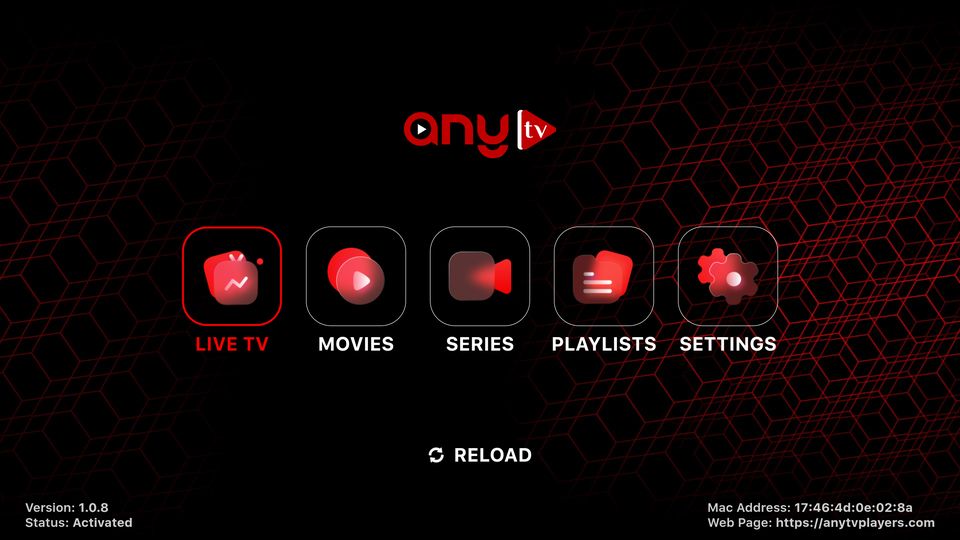
The home screen shows the Mac Address at the bottom right.
BobPlayer
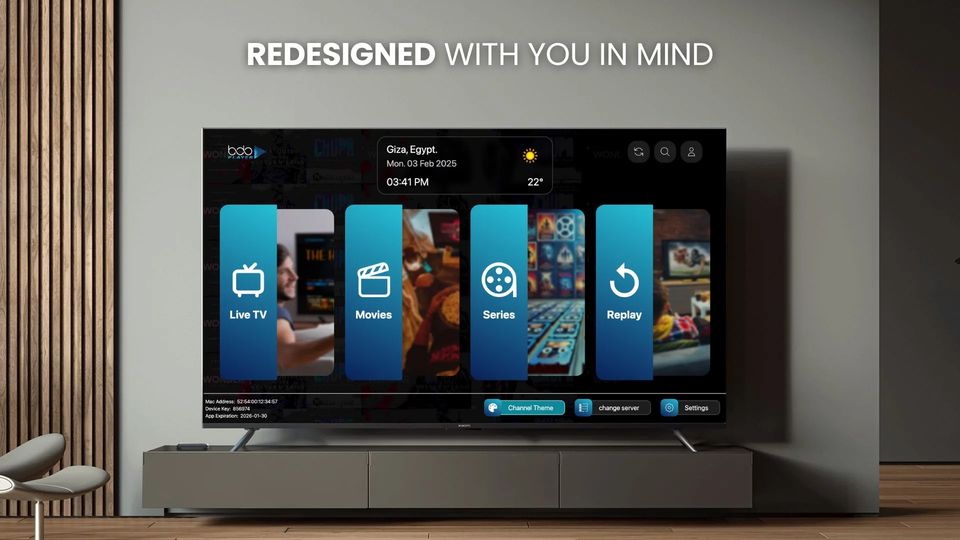
The home screen shows the Mac Address and the Device Key at the bottom left.
IBOPlayer
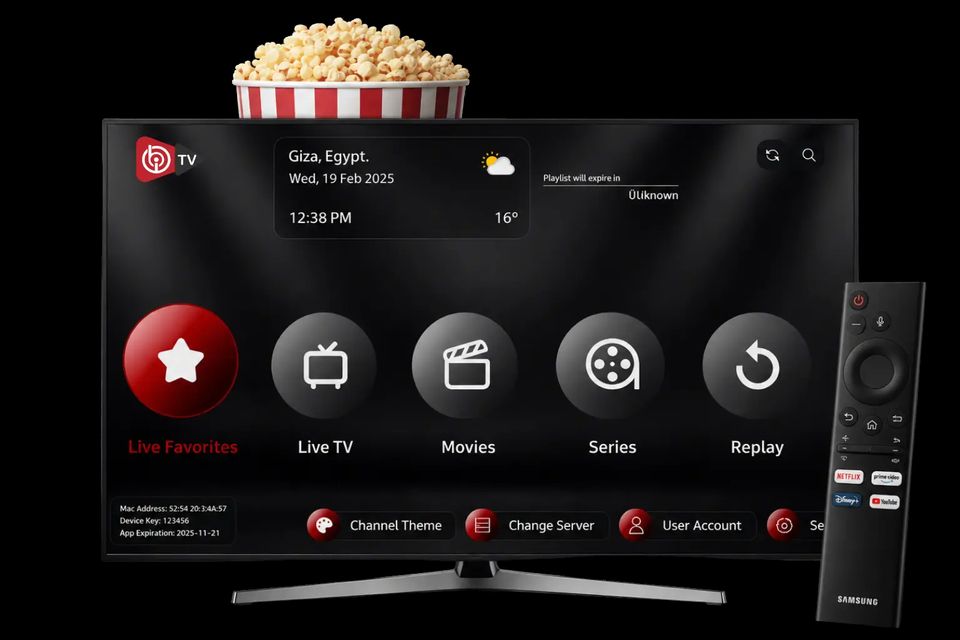
The home screen shows the Mac Address and the Device Key at the bottom left.
FAQ
How long does activation take?
Usually a few minutes after payment is confirmed.
Which devices does it work on?
Android, iOS and Windows, depending on the app you choose.
What if something goes wrong?
Message us on WhatsApp and we will fix it as soon as possible.
Can I try before I buy?
Yes, request the free 24-hour IPTV trial.
What do I need to send to get a trial?
Send the Device Key and the MAC address shown in the app. We then upload the test playlist.